L2Walker Install on Windows
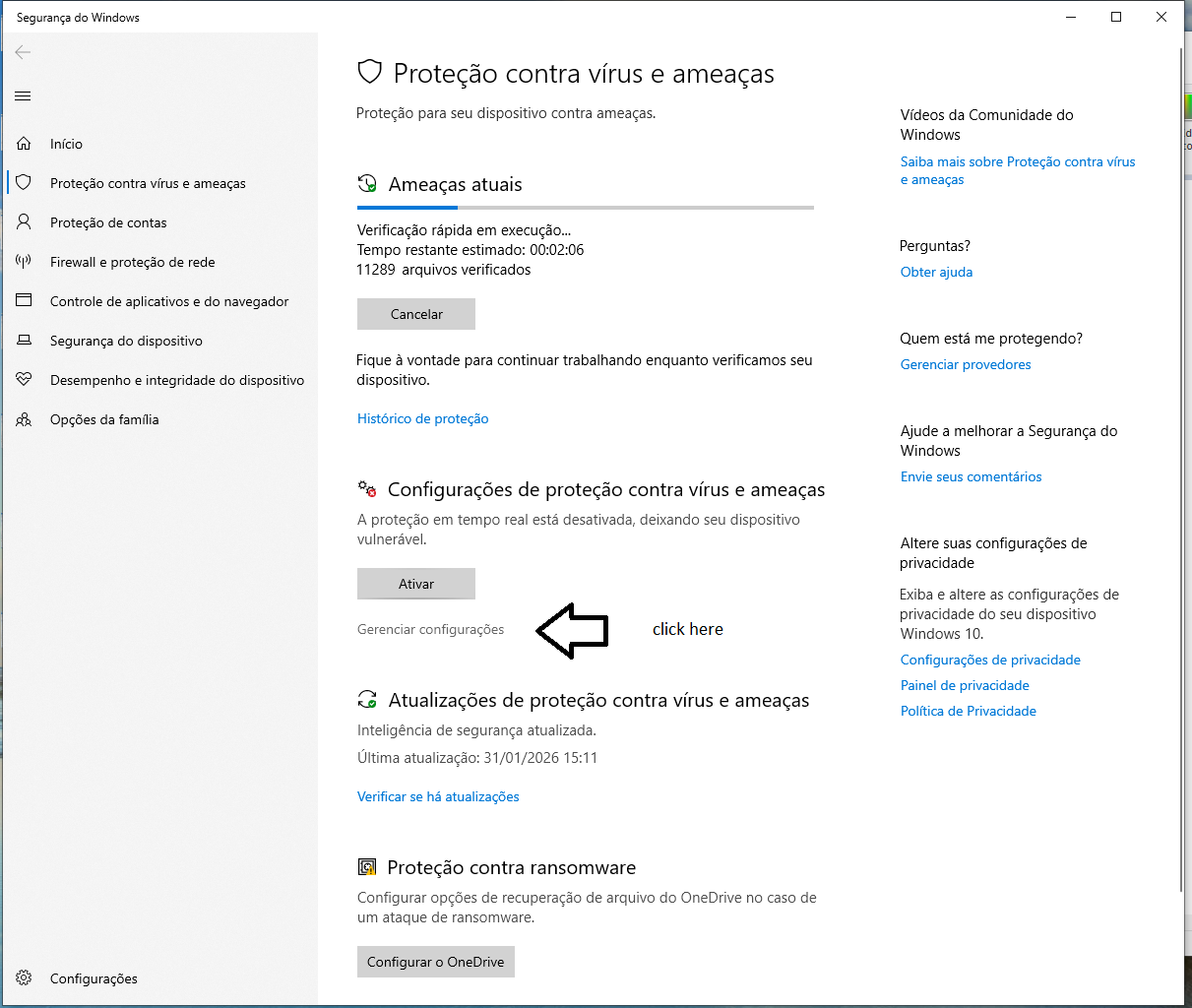
Step 1 — Open Windows Security
- Go to Windows Security → Virus & threat protection.
- Click Manage settings.
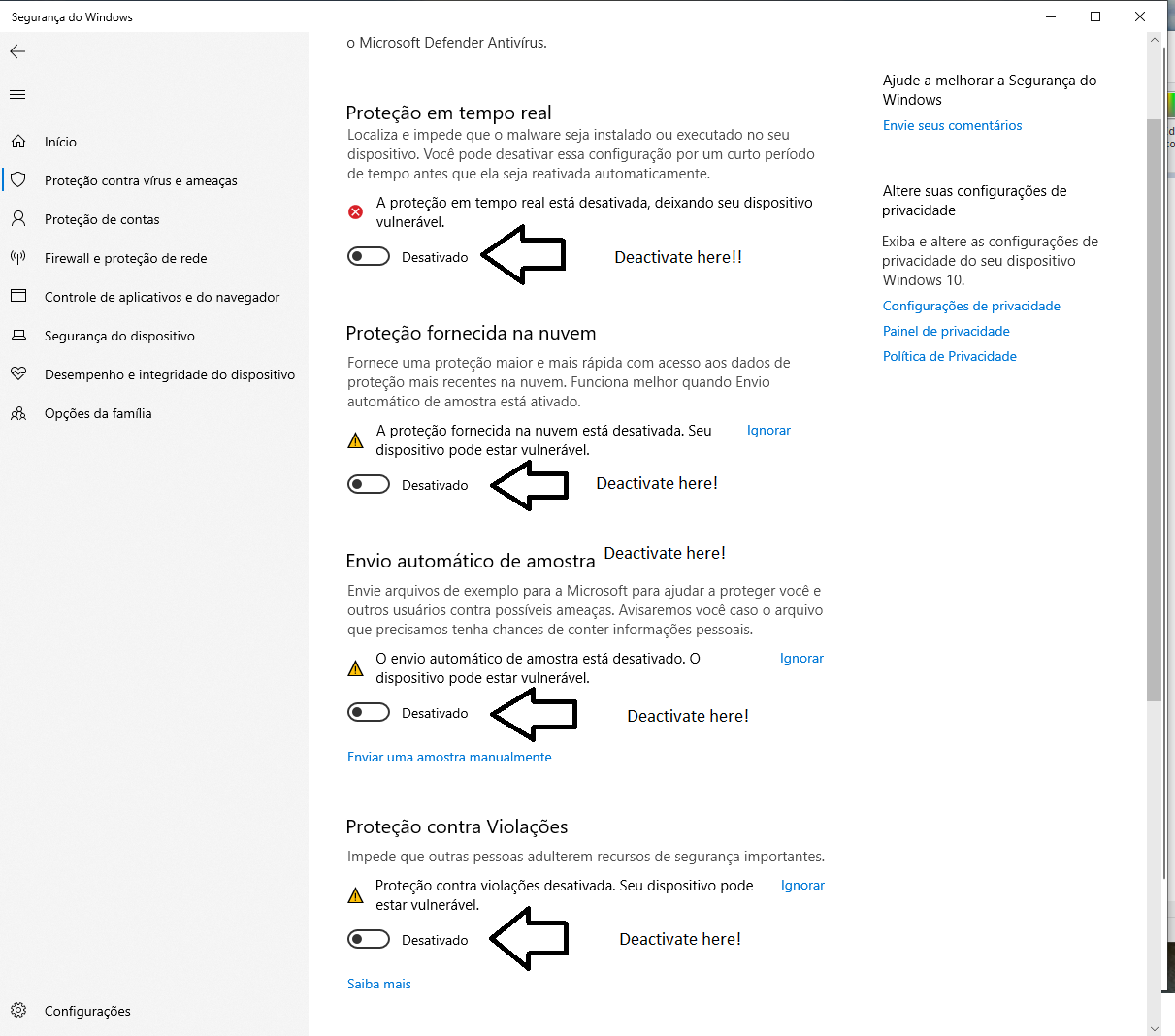
Step 2 — Disable Protection (Temporary)
- Disable the protection options shown in the image.
- This prevents Windows from blocking L2Walker files.
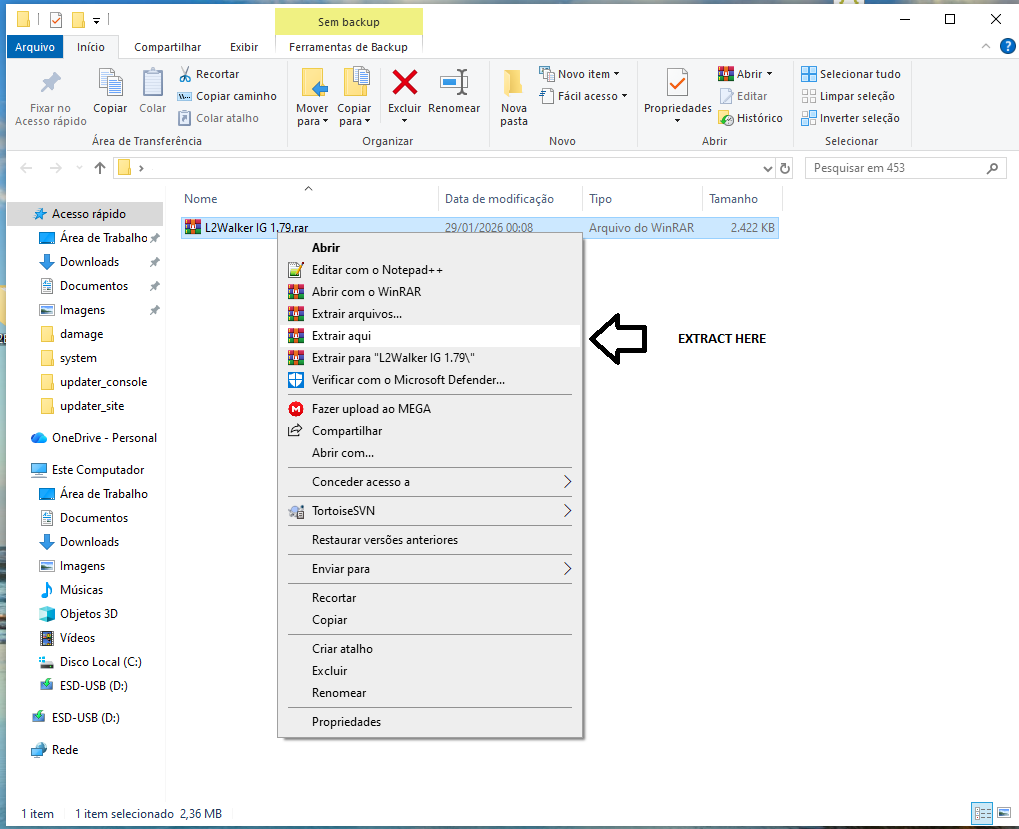
Step 3 — Extract L2Walker
- Download L2Walker.
- Extract (unzip) the file anywhere you prefer.
- Open the extracted folder.
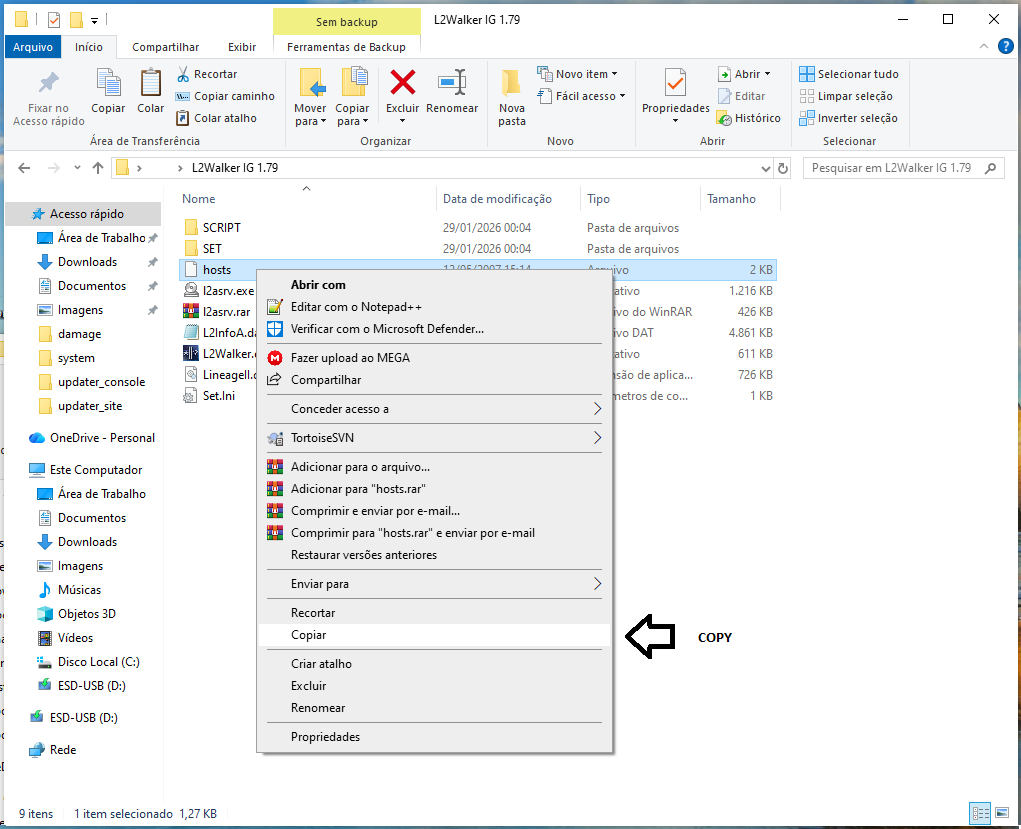
Step 4 — Copy the Hosts File
- Find the file named hosts inside the L2Walker folder.
- Right-click → Copy.
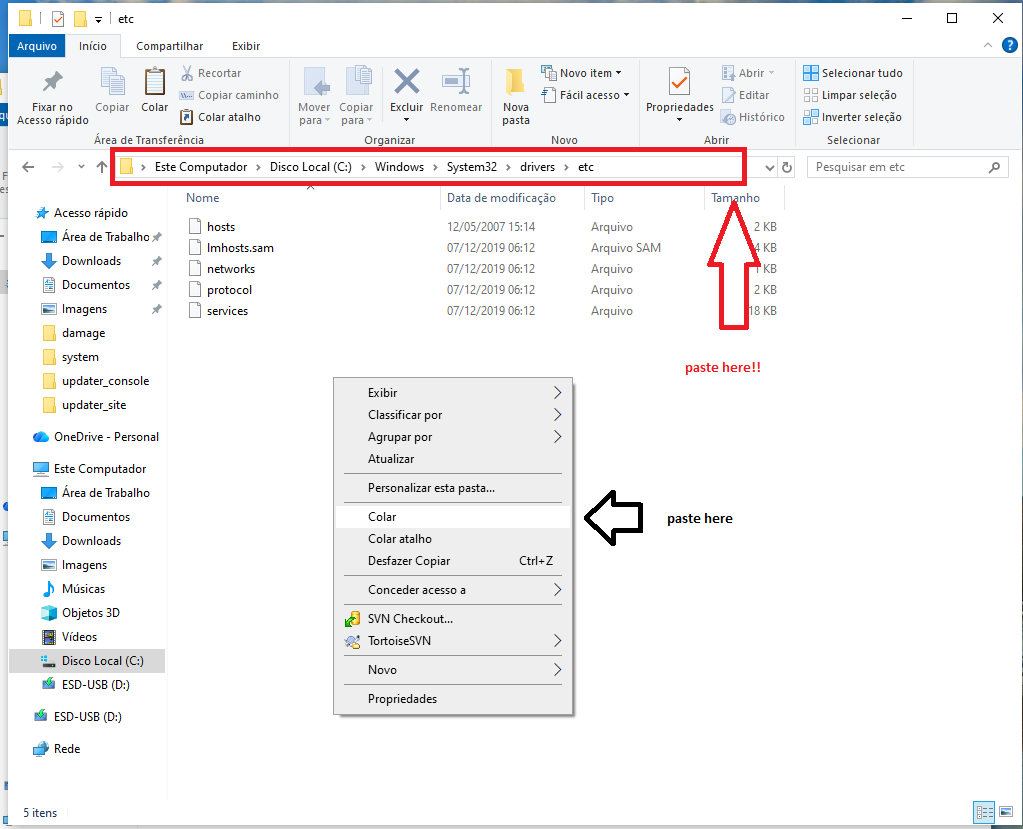
Step 5 — Paste the Hosts File
- Paste hosts file in
- C:\Windows\System32\drivers\etc.
- replace the host file.
- Replace the file.
- Close the folder.
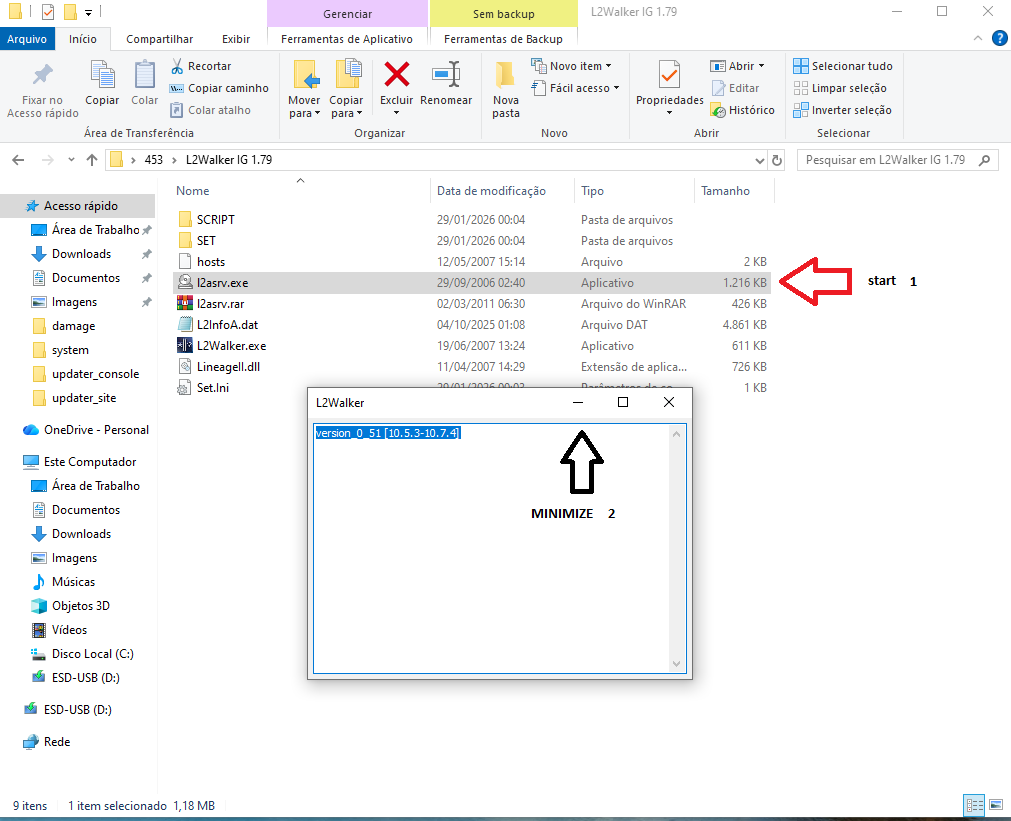
Step 6 — Starting Game
- Opem l2asrv.exe
- minimize the program
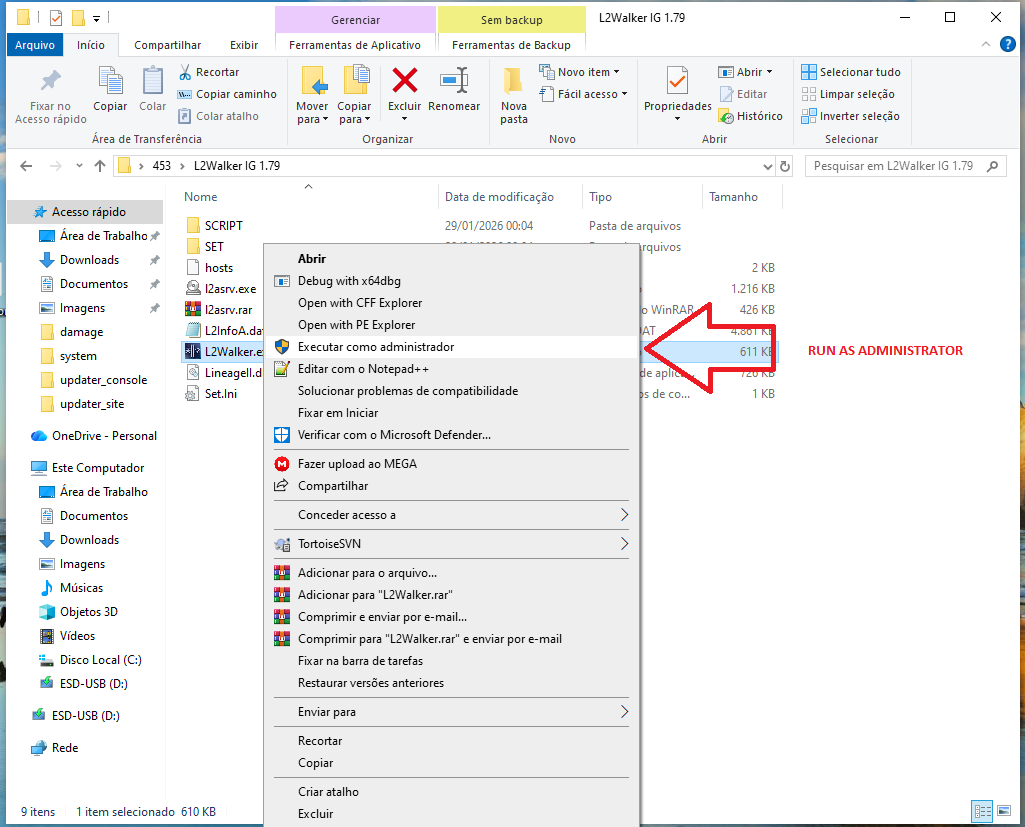
Step 7 — Starting Game
- Open the L2Walker.exe program as administrator.
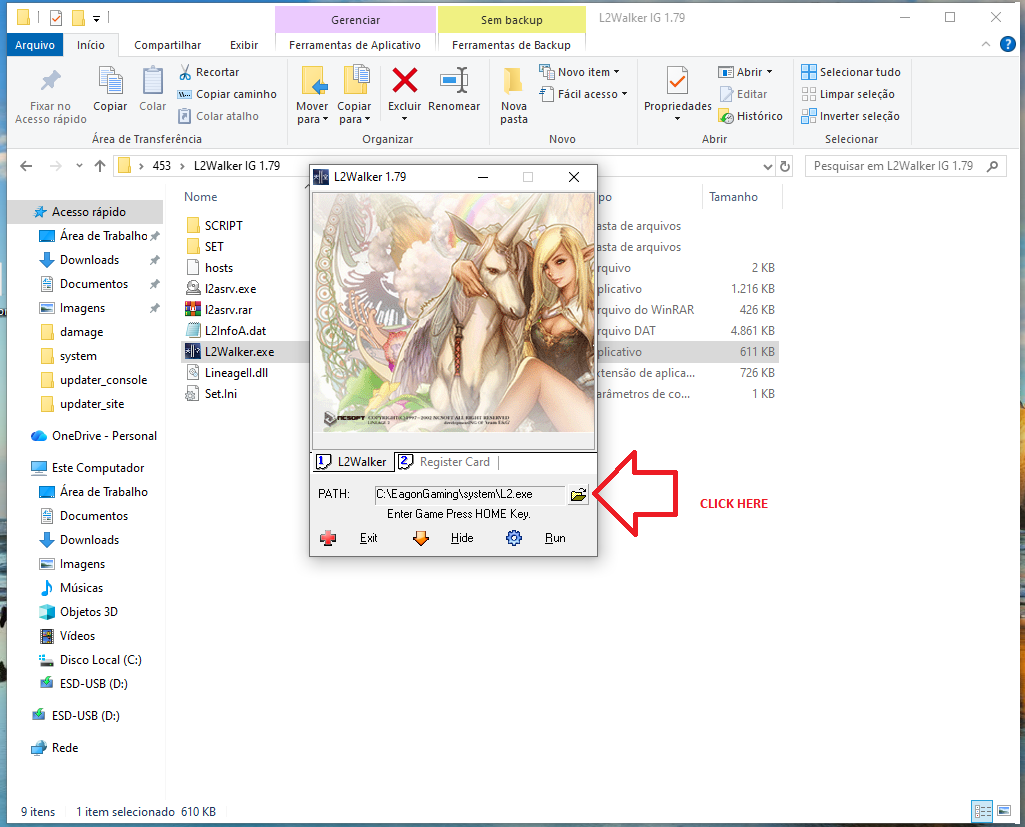
Step 8 — Starting Game
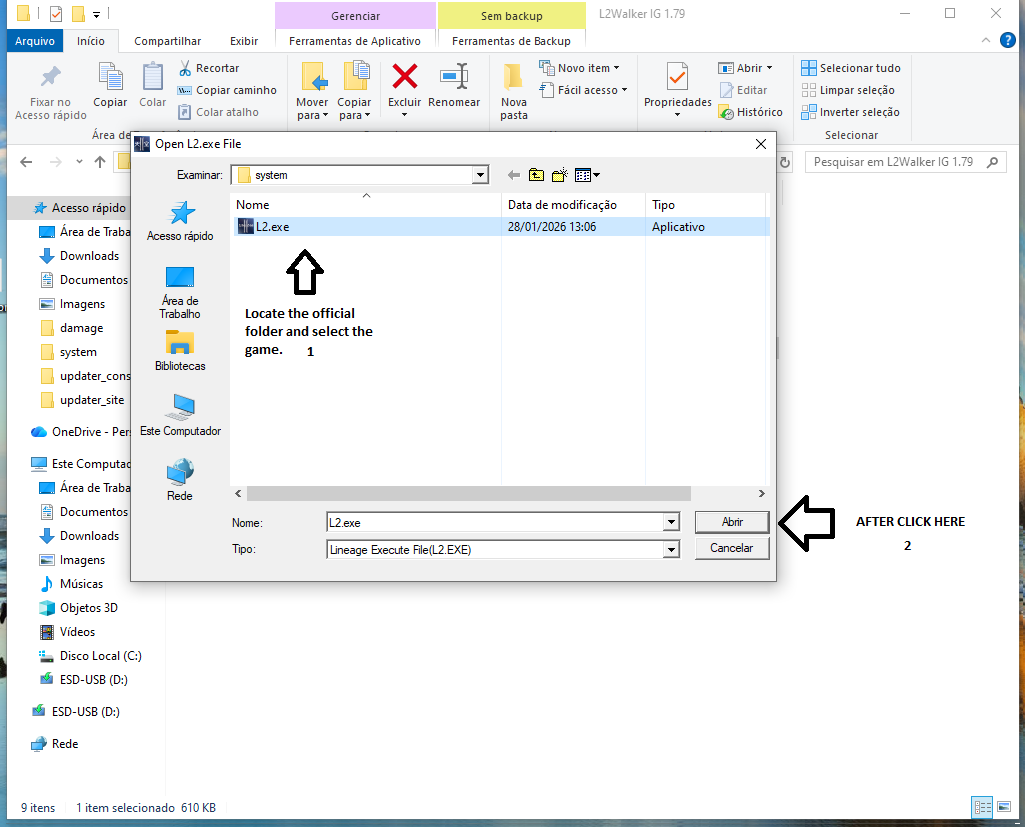
- Click to browse for the L2.exe folder.
Step 9 — Starting Game
- Search my computer for the folder EagonGaming/system/L2.exe
]
- After finding it, click on open.
Step 10 — Starting Game
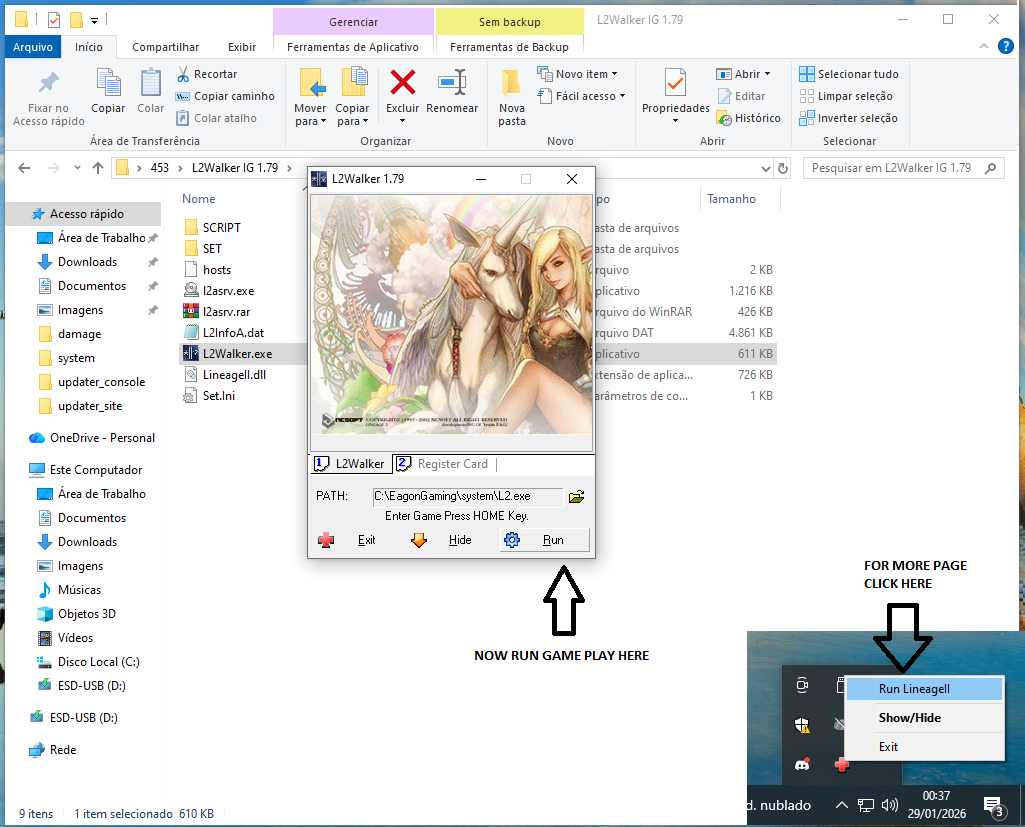
- Now press rum for play the game
- For more game tabs, look for Walker in the Windows taskbar.