Daily Server Restart
The server performs a scheduled restart every day to maintain stability and ensure the best possible performance.
Scheduled Daily Disconnect
The midnight disconnect is part of the regular maintenance routine and does not indicate a server, network or account problem.
- All online characters will be disconnected.
- The server will restart automatically.
- Players may reconnect after the server returns online.
- Automatic farming characters must be logged in again.
- The restart helps preserve server stability and performance.
Tattoo System
Learn how Demon Tattoos and Right Tattoos work together to define, strengthen and customize your character in Eagon Gaming.
Inventory Slots
The red area is used for Demon Tattoos. The blue area is used for flexible Right Tattoos.
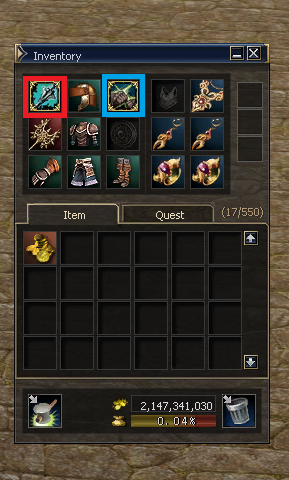
Demon Tattoo
The Demon Tattoo is the foundation of your character. It must match your class, weapon type or combat role.
- Only one Demon Tattoo can be equipped.
- Each edition is designed for a specific build.
- Defines the main specialization of the character.
- Should be selected before choosing a Right Tattoo.
Right Tattoo
Right Tattoos are flexible. They improve one specific attribute and allow the player to adjust the build for different activities.
- Only one Right Tattoo can be equipped.
- Can be replaced according to the player's needs.
- Complements the selected Demon Tattoo.
- Useful for Farming, PvP, Raid Bosses and Olympiad.
Demon Tattoos
Choose the edition that matches your class, weapon specialization or combat role.
Right Tattoos
Right Tattoos are flexible attribute tattoos. Choose the bonus that best supports your current objective.
Offensive
Damage and combat performance- MightPhysical Attack
- FocusCritical Rate
- GuidanceAccuracy
- HasteAttack Speed
- Critical PowerCritical Damage
- Berserker SpiritOffensive Power
- RageDamage Enhancement
- Death WhisperCritical Enhancement
- AcumenCasting Speed
- EmpowerMagic Attack
Defensive
Protection and survivability- ShieldPhysical Defense
- Magic ShieldMagic Defense
- Mental ShieldMental Resistance
- DivineDefensive Enhancement
- Reflect DamageDamage Reflection
- RecoveryRecovery Bonus
- RegenerationHP Regeneration
- Resist ShockStun Resistance
Utility
Flexible secondary attributes- BodyMaximum HP
- SoulMaximum MP
- WindMovement Speed
- AgilityAgility Bonus
- AngerOffensive Utility
- Iron Berserker SpiritHybrid Bonus
How to Build Your Character
- First, equip the Demon Tattoo that matches your class or weapon specialization.
- Then choose a Right Tattoo that improves the attribute required for your current objective.
- Use offensive bonuses for faster Farming or higher damage.
- Use defensive bonuses for Raid Bosses, PvP survival or difficult opponents.
- Change the Right Tattoo whenever you need to adapt your build.
Buff System
Understanding the Eagon Gaming Buff System is essential for PvP, Olympiad and Raid Bosses. Unlike official servers, buff management becomes part of your strategy.
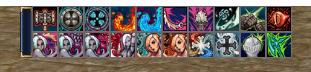
Maximum Buff Slots
Characters can have a maximum of 20 active Buffs.
- ✔ Maximum of 20 Buffs.
- ✔ Every new buff occupies one slot.
- ✔ Buff order becomes important.
Automatic Replacement
Once all buff slots are full, receiving a new buff automatically removes the oldest active buff.
- ✔ 21st Buff replaces Buff #1.
- ✔ No manual removal required.
- ✔ Plan your support buffs carefully.
Debuff System
Debuffs follow exactly the same rule.
- ✔ Maximum of 20 Debuffs.
- ✔ New debuffs replace the oldest one.
- ✔ Debuff order also matters.
Toggle Skills
Toggle Skills do not consume Buff Slots.
- ✔ Aura Skills
- ✔ Toggle Skills
- ✔ Class Stances
- ✔ They remain active without using Buff Slots.
⚔ Strategy Tips
- Choose your buffs carefully before PvP.
- Keep the most important buffs active.
- Avoid unnecessary buffs that may replace valuable ones.
- Toggle Skills are free and should always be used.
Support Magician vs Prophet
Although both provide the same buff types, there is an important difference between the NPC Buffer and the Prophet class.
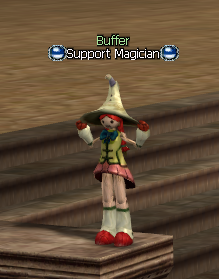
Support Magician
The Support Magician is an NPC Buffer available to every player. It provides the same buff types as the Prophet, making it a quick and convenient way to prepare your character.
- ✔ Same buff types
- ✔ Lower buff levels
- ✔ Instant buffs
- ✔ Great for leveling and farming
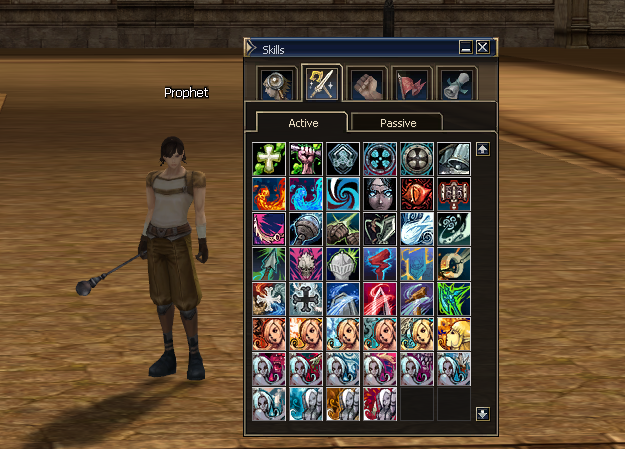
Prophet
The Prophet uses the same buff types as the Support Magician, but casts higher-level versions of every buff, providing stronger bonuses and better overall character performance.
- ✔ Same buff types
- ✔ Higher skill levels
- ✔ Stronger character stats
- ✔ Recommended for PvP, Olympiad and Raid Bosses
Dwarf Spoil System
Use a Dwarf farmer to collect additional items and accelerate the production of equipment and progression materials.
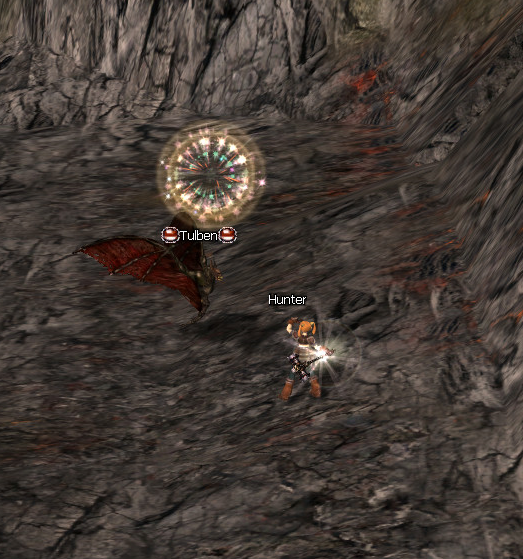
Why use a Dwarf?
- Collect additional items from the monster's Spoil list.
- Receive normal drops and Spoil rewards from the same monster.
- Farm materials and progression resources much faster.
- Produce weapons, armor and custom items more efficiently.
- Recommended for players focused on long-term farming.
How Spoil Works
Spoil rewards are collected separately from normal monster drops.